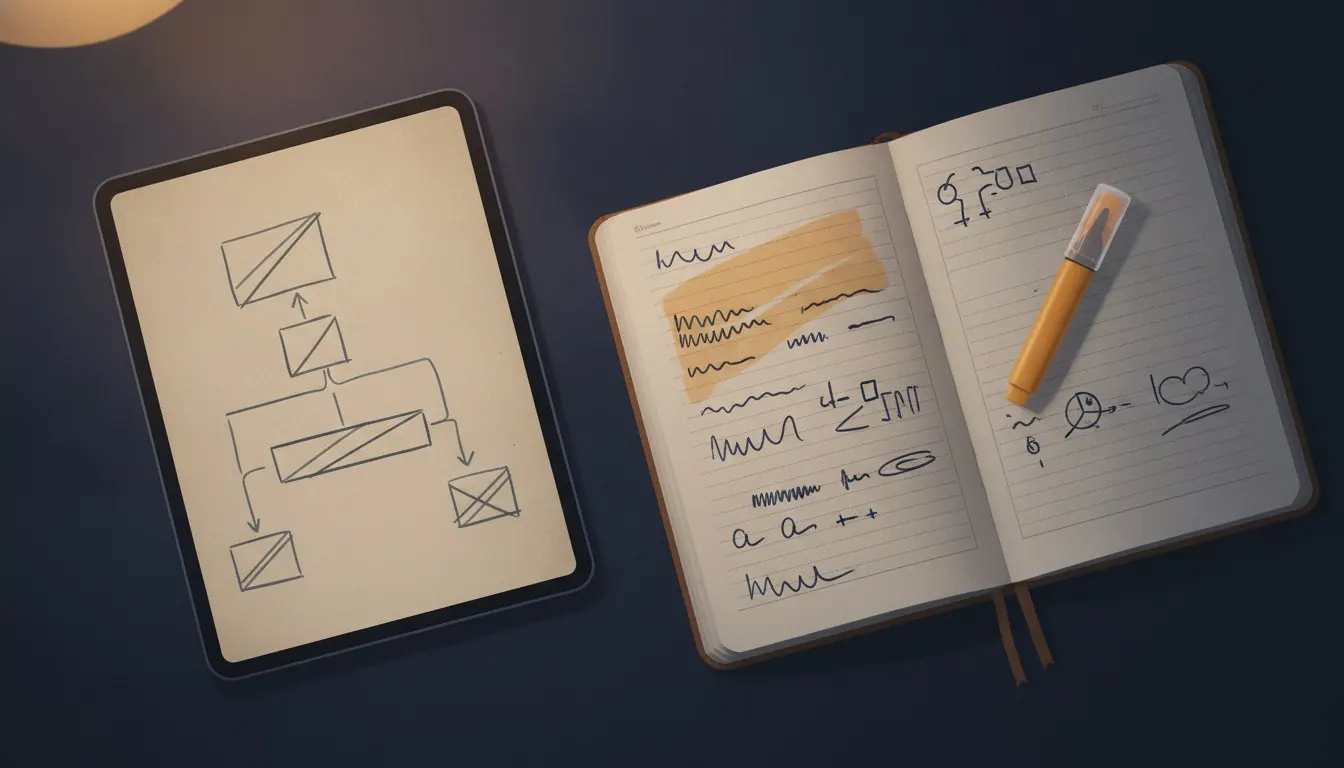
The study technique literature is almost entirely about paper. Spaced repetition, active recall, interleaving, the testing effect - all of it is well evidenced and all of it was worked out on index cards and textbooks. None of it assumes your source material is a folder of PDFs, which for most students it now entirely is.
That gap matters more than it sounds, because PDFs invite a specific and very appealing failure: highlighting. Opening a document, running a yellow bar across the important parts and closing it again feels exactly like studying. It produces a file full of yellow bars, no recall, and a strong sense that the work is done.
What follows is a workflow built around what PDFs are actually good at - being searchable, portable, reassemblable and infinitely printable - and around what they are bad at, which is being a place to keep your thinking.
Key facts
- The core rule
- Notes live outside the file, not inside it
- What PDFs are good at
- Search, portability, reassembly, offline access
- What PDFs are bad at
- Being a workspace or a notebook
- Best preparation
- Topic packs assembled before a session starts
- Worst habit
- Highlighting inside the document
- Underrated step
- Extracting a mark scheme to text so you can search it
Why highlighting inside a PDF fails
Two reasons, and the second is the serious one. The first is mechanical: a highlight lives inside that file. To see it again you have to remember which of your forty documents it was in, open that document, and find it. Nothing surfaces it, nothing reminds you of it, and no revision session ever begins with 'let me review my highlights'.
The second is cognitive. Highlighting is a recognition task. You read a sentence, recognise it as important, and mark it. Recognition is close to effortless and it is not what an exam asks of you. An exam asks you to produce the sentence from nothing, and the only preparation for that is having produced it from nothing before. A highlight records that you once agreed something was important. It does not record that you can say it.
The one-sentence version
If the output of a study session is a changed PDF rather than changed notes, the session did not do anything. Your notes are the artefact; the document is the source.
Where notes should live instead
Anywhere you will look at them again without being prompted. A paper notebook, a plain text file, a note app, a deck of cards - the medium matters far less than the property, which is that reviewing your notes must not require opening the source document.
The practical test is whether you can revise on a train with nothing but your notes. If the answer is no because the meaning of your notes depends on a document you would have to open alongside them, the notes are not finished yet.
A session that works
Ninety minutes, repeatable, no special tools beyond the ones here.
- Assemble before you start
Build the topic pack first: every question on one topic, extracted from every paper you have, merged into one document. Do this at a different time from studying. Assembling material while trying to study it is how an evening disappears.
- Work a question before you read anything
Open the pack, do a question properly, on paper, without the mark scheme. This is the part that produces learning, and it is the part every other approach postpones.
- Mark it honestly against the scheme
Open the mark scheme separately. If you merged it onto the end of the paper, this is where that pays off.
- Write the note, not the highlight
One line, in your own words, about the thing you did not know. Not the question - the thing. 'Forgot to convert to SI before substituting' is a useful note. A yellow bar over the formula is not.
- Put the note where you will see it again
Into the same place every time. A file called mistakes.txt beats a scattered system with a better name.
Tools for this workflow
Extracting a mark scheme to text is worth the thirty seconds
A mark scheme as a PDF is a document you scroll. As a plain text file it is something you can search in any editor, paste fragments of into notes, and cut down to the parts you still need.
The version that has had everything you already know deleted from it is a genuinely useful revision document, and it exists only because the text came out of the PDF first.
Reading on a tablet, properly
A tablet is the best PDF reading device there is, and almost nobody sets one up correctly. The default experience - an A4 document displayed whole on a ten-inch screen - wastes about a third of the glass on white margin and makes the text smaller than it needs to be.
Crop the margins off and the effective text size roughly doubles with no zooming. Do this once per document, keep the cropped copy for reading and the original for printing, and tablet revision stops being a compromise.
Where each format earns its place
Nothing here is universally better. They fail differently.
| Format | Strength | Weakness | Use it for |
|---|---|---|---|
| PDF on a tablet | Portable, searchable, exact layout | Awkward to annotate meaningfully | Reading and working questions |
| Printed paper | Write anywhere on it, no battery, no notifications | Heavy, cannot be searched | Timed practice under exam conditions |
| Extracted plain text | Searchable, editable, tiny | Loses diagrams and layout entirely | Condensing a mark scheme |
| Your own notes | The only thing that records what you can produce | Take effort to make | Everything that matters |
Before a revision period starts
An hour of setup, done once.
- Download everything you will need for the whole period, in one session
- Split any combined paper-and-mark-scheme files
- Build topic packs for the three areas you are weakest in
- Crop the margins off anything you will read on a tablet
- Compress anything too large to sync, and check it still reads
- Decide where notes go, and use only that place
- Put everything on the device offline, so a bad connection cannot cost you a session
Working offline is not a minor convenience
Every study session that depends on a network is a session that can be interrupted by one. The failure is rarely dramatic; it is a paper that will not load, followed by a look at something else, followed by an hour gone.
Every tool on this site works on files you already have, and the reader works with no connection at all. Get the documents onto the device you will study on before you need them, and the whole category of problem disappears.
Guides in this topic
Every one written by a named author and checked against real documents.
Revision that works offline
Every session that depends on a network is a session a network can end. The fix takes twenty minutes once and removes an entire category of lost evening.
Condensing a mark scheme
Extract it to text, delete everything you already know, and what remains is a revision document of exactly your gaps - written by the act of deleting.
Setting up a tablet for revising from PDFs
A tablet is the best PDF reading device there is, and almost nobody sets one up correctly. Three changes make it genuinely comfortable.
Taking notes from a PDF
The rule that makes the difference is not which app you use. It is that your notes have to be readable without the document open beside them.
Highlighting feels like studying. Here is why it is not
It feels exactly like studying, produces a document full of yellow bars, and leaves you no better able to answer a question. Here is the mechanism, and what to do instead.
Questions and answers
Is highlighting in a PDF ever useful?
Marking a passage you intend to come back to in the next few minutes is fine. The failure is treating highlighting as the study activity rather than as a bookmark. If you close the file and the highlights were the output, nothing was learned.
Should I print past papers or work on screen?
Print anything you are sitting under timed conditions, because that is what the exam is and practising the medium matters. Read on screen the rest of the time. The compromise nobody should make is attempting timed practice on a device with notifications.
What is a topic pack and how long does it take to build?
One document containing every question on a single topic, extracted from every paper you have. About twenty minutes for a six-year span once you know the page numbers, and it converts a folder of papers into a targeted worksheet no publisher sells.
Can I search across all my PDFs at once?
Your operating system can: Spotlight on macOS and Windows Search both index PDF text layers. Scanned papers are invisible to both, because they contain no text. That difference is worth knowing before you conclude a search is broken.
How do I stop a 40 MB paper eating my tablet's storage?
Compress it, and check the result is still readable. A scanned paper usually drops by seventy per cent or more at the balanced setting. A text-based paper is already small and will barely change.