At some point almost every student has to turn handwritten work into a PDF: coursework, a take-home paper, a problem sheet, a lab book. The portal wants one file, under a size limit, legible to whoever opens it.
Every part of that is straightforward, and the whole thing goes wrong for the same two reasons every time. The photograph was taken at an angle, and the room was lit from one side.
Key facts
- What determines quality
- Lighting and camera angle, before any processing
- Best clean-up for pen and pencil
- Greyscale with automatic contrast
- Smallest output
- Pure black and white, at the cost of pencil shading
- Typical portal limit
- 10 to 20 MB
- Typical unprocessed size
- 2 to 5 MB per photograph
- Searchability of the result
- None - nothing reliably reads handwriting
Get the photograph right and everything else is easy
No amount of processing recovers a shadow across the middle of a page or text that runs away to a vanishing point. Both are avoidable in about thirty seconds.
Put the page on a flat surface with nothing under it. Stand so your own body is not between the page and the light. Hold the camera directly above the centre of the page, parallel to it - not leaning over from one side. Fill the frame with the page and a small border. That is the whole technique.
The thirty-second method
Repeatable, and it beats any scanner app used carelessly.
- Find even light
Daylight from a window, with the page side-on to it rather than directly under it. Overhead room lighting throws your own shadow; a desk lamp from one side throws a gradient across the page.
- Lay the page flat
One sheet, on a plain surface, nothing else in frame. A dark surface helps the page edge stand out.
- Shoot straight down
Camera parallel to the paper, centred. If the top of the page is narrower than the bottom in your viewfinder, you are leaning.
- Check before moving on
Look at the photograph, not the scene. Read the faintest line on it. If you cannot, neither can a marker.
- Repeat in page order
Consistency matters more than perfection. The same distance and the same light for every page.
Turning photographs into a document
Greyscale, black and white, or colour
Greyscale with automatic contrast is the right default for handwriting. It keeps the full range of tone, which is what pencil is made of, while removing the yellow cast of indoor light and the grey of the paper.
Pure black and white produces dramatically smaller files - a one-bit image of text compresses extraordinarily well - but it applies a hard threshold, and faint pencil falls on the wrong side of it. Use it for firm ink and check the result. Keep colour only when the answer depends on it: coloured diagrams, highlighted working, marked-up sources.
What each clean-up setting costs and saves
Typical figures for a photographed A4 page of handwriting.
| Setting | Size per page | Keeps | Loses |
|---|---|---|---|
| Colour, unprocessed | 2-5 MB | Everything | Nothing, but the file is unusable at scale |
| Colour, contrast corrected | 300-600 KB | Colour, highlighter | Subtle tone |
| Greyscale | 100-250 KB | Pencil shading, all writing | Colour |
| Black and white | 20-60 KB | Firm ink | Pencil shading, faint marks |
File size and submission limits
A folder of twelve raw photographs is somewhere between 25 and 60 megabytes, and most submission portals cap at 10 or 20. This is the most common reason a submission fails at the deadline.
Greyscale clean-up usually solves it outright, taking the same twelve pages to about two megabytes. If it does not, the answer is to photograph again at a lower resolution rather than to compress an already-compressed file twice, which visibly degrades the writing for very little further saving.
Submit early enough to check
Open the finished PDF and read it as though you were the marker, on a screen rather than a phone. Pages out of order, one page missing and one page unreadable are the three failures that matter, and all three are invisible unless you look.
Why your handwriting will not be searchable
Optical character recognition on printed text is a solved problem and works extremely well. On handwriting it is not, and it does not.
Modern systems can make a plausible guess at neat handwriting in isolation, and a plausible guess is precisely the wrong thing to attach to an exam script - a misread digit in a calculation is worse than no text at all. Nothing on this site attempts it, and a scanned answer sheet remains an image of a page.
Before you submit
Five minutes, at least an hour before the deadline.
- Every page present, in order, the right way up
- Your name and candidate number on the first page, if required
- The faintest page readable at normal screen size
- One PDF, not a folder of images
- Under the portal's size limit, with room to spare
- Opened and read once in a different application than the one that made it
Guides in this topic
Every one written by a named author and checked against real documents.
Why handwriting recognition fails
On printed text, recognition is close to solved. On handwriting it produces plausible guesses, and a plausible guess attached to a mathematical answer is worse than no text at all.
How to reduce the file size of a scan
In order of how much they save, and with the one that everyone tries first listed last, because it is the least effective.
Submitting handwritten work
One file, in order, under the size limit, readable by someone who is not you. Four requirements, and every one of them fails for people every year.
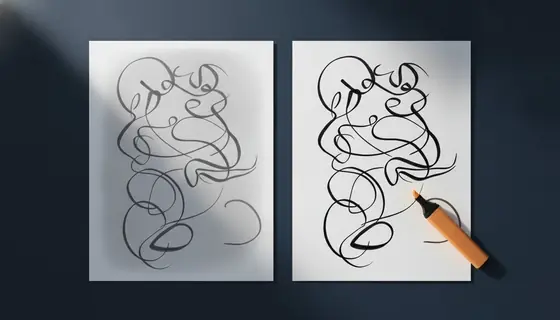
Choosing a scan mode for handwritten notes
Black and white produces files a fraction of the size and erases faint pencil. Greyscale keeps everything and costs more space. The choice depends on what you wrote with.
How to photograph a page properly
Thirty seconds of technique beats any amount of processing afterwards. Two things go wrong, both before the shutter, and both are free to fix.
Questions and answers
Why does my scan look yellow?
Indoor lighting is much warmer than daylight and cameras compensate imperfectly. Greyscale clean-up removes the cast entirely, which is one reason it is the default here even when colour is technically available.
Can the tool straighten a photo taken at an angle?
No, deliberately. Perspective correction has to locate the page corners, and on a partly filled sheet it frequently locates the wrong ones - producing a page that is confidently, subtly wrong. Photographing flat takes less time than checking a correction.
My pencil work disappeared after processing. What happened?
The black-and-white setting applied a hard threshold and faint pencil fell below it. Use greyscale, which preserves the full range of tone.
Is a phone photo good enough for submitted coursework?
Yes, if it is taken flat under even light and cleaned up. A careless photo from a good camera is worse than a careful one from an old phone. The technique dominates the hardware.
Should I use a scanner app instead?
Scanner apps do roughly what this does, with the addition of automatic edge detection that is sometimes excellent and sometimes crops off a line of your answer. Whichever you use, check every page of the result.