
The phrase 'PDF security' covers at least four unrelated things, and most confusion about it comes from treating them as a single feature with a strength dial. They are not. They fail in completely different ways.
One is cryptography and it holds. One is an honour system. One is a picture. One is the difference between deleting text and covering it, which is the distinction that has ended more careers than the other three combined.
Key facts
- Real protection
- AES-256 encryption with a strong password
- Not protection
- Permission flags - honoured voluntarily by readers
- Not protection
- Watermarks - a visible label, croppable by anyone
- Genuine removal
- Redaction that deletes characters from the content stream
- Not removal
- A black rectangle drawn over text in an editor
- Frequently forgotten
- Metadata, which sits outside the pages entirely
Encryption is the only one that is protection
A modern encrypted PDF uses AES-256. The contents are ciphertext, and without the key they are not readable by any software, any service, or any amount of guessing that a normal adversary can mount.
This is worth stating flatly because a great many websites offer to 'unlock' or 'recover' PDF passwords, and for a properly encrypted file none of them can. What such services actually handle is the other thing - files that were never encrypted at all and merely carry a restriction flag.
Permission flags are an honour system
A PDF can carry flags saying that printing, copying or editing should not be permitted. The file itself is fully readable; the flags are a note to the reader software asking it to withhold those functions.
Well-behaved readers comply. Anything that chooses not to, ignores them completely, and stripping them takes one pass through any rebuild tool. If your document genuinely must not be printed by the recipient, permission flags will not achieve that, and no PDF feature will.
What each mechanism actually does
The distinction that matters when you are deciding what to rely on.
Encryption
- Contents unreadable without the password
- Enforced by mathematics, not by convention
- No recovery if the password is lost - none, ever
- Use when the document must not be readable by the wrong person
Permissions and watermarks
- The document is fully readable to everyone
- Enforced by the reader's goodwill, or by nothing at all
- Removable in one step by anyone who wants to
- Use to state intent, never to enforce it
Redaction: the one people get wrong
Covering text with a black rectangle in a PDF editor leaves the text entirely intact underneath. The rectangle is a drawing. Select beneath it, or extract the document's text, and the supposedly hidden content comes straight back.
This is not a theoretical problem. Court filings, government disclosures and corporate reports have all been published with redactions that consisted of black boxes over live text, and in each case the contents were recovered within hours by anyone who thought to try. Real redaction removes the characters from the content stream so there is nothing underneath.
Always verify a redaction yourself
Open the result, search for the term, and try to select the black area. If the search finds nothing and the selection is empty, the text is gone. This takes ten seconds and it is the only check that means anything.
The tools involved
Metadata travels with the file
Every PDF carries an information dictionary: title, author, subject, keywords, creation and modification dates, and the software that produced it. None of that is on any page, so nothing you do to page content changes it.
The practical consequence is that a document can be carefully redacted and still carry the author's full name, their institution and the path of the original file on their machine. Before sending anything sensitive, look at its properties as well as its pages.
What to check before sharing a document
Page content, metadata, and anything the document quietly knows about itself: form field values, comments, bookmarks naming sections that were removed, and in some cases earlier versions retained by incremental saving.
A rebuild - which is what most of the tools here perform as a side effect - discards incremental history and resets metadata. That is a useful property to know about, and a reason to run a document through one final operation before it leaves your hands.
Choosing the right mechanism
Match the tool to the actual requirement.
| Requirement | Use | Do not use |
|---|---|---|
| Nobody without the password may read it | Encryption (Protect PDF) | Permissions, watermarks |
| This information must be gone | Redaction | Cropping, black rectangles |
| Readers should know this is a draft | Watermark | Encryption |
| Form answers must not be edited or lost | Flatten | Permissions |
| My name must not be in the file | Redaction plus a metadata check | Redaction alone |
A note on files you upload anywhere
The reader on this site never uploads anything: it opens the file in your own browser. The tools that transform a document do receive it, because transforming a file requires having it, and they delete it automatically within thirty minutes.
That is a reasonable arrangement for a past paper and a poor one for a document you would not email. For genuinely sensitive material, the right answer is software on your own machine, and we would rather say so than talk you into using a website for it.
Before a document leaves your hands
Six checks, about two minutes.
- Search the result for anything you redacted
- Open the document properties and read the author, title and keywords fields
- Check comments and annotations, which some readers hide by default
- Check form fields for values you did not intend to include
- If it is encrypted, send the password by a different route from the file
- If it must not be edited, flatten it before sending
Guides in this topic
Every one written by a named author and checked against real documents.

Choosing a PDF password
There is no recovery. That single fact should drive the whole decision, and it usually drives it in the wrong direction.

When an online PDF tool is safe, and when it is not
It depends entirely on the document, and the honest answer costs us traffic to give. For some files the answer is no, including on this site.

What PDF metadata reveals about you
Your account name, the software you use, when you made it and sometimes where on your disk it lived. None of it is on any page and all of it travels with the file.
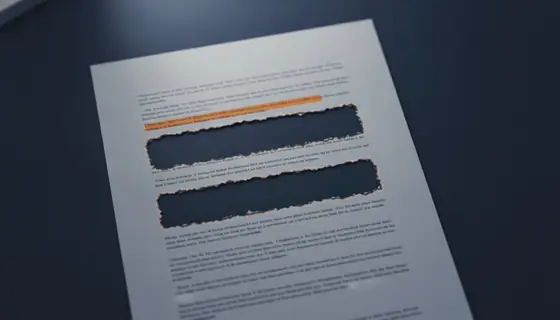
Redacting a PDF properly
A black rectangle drawn over text leaves the text entirely intact underneath. This has ended careers, repeatedly, and it takes ten seconds to check.

PDF encryption versus PDF permissions
One is cryptography and it holds. The other is a request that any reader is free to ignore. Most PDF security advice treats them as one feature with a strength dial.
Questions and answers
Can a lost PDF password be recovered?
No. Not by this site and not by any other. AES-256 with a reasonable password is not broken by guessing. Sites offering password recovery are either operating on files that were never encrypted - only permission-flagged - or they are lying.
Is it safe to use an online PDF tool?
It depends entirely on the document. For a publicly available past paper, the question barely arises. For anything confidential, process it on your own machine. Every online tool, including this one, has to receive a file in order to transform it.
How long are my files kept here?
Uploads and results are deleted automatically within thirty minutes, and usually within seconds of the download. The reader does not upload anything at all - it runs in your browser.
Does removing a password from a PDF I own break any rules?
For your own document, generally not. For material licensed on condition that it remains protected, or for someone else's confidential file, yes. This site requires the password in every case and does not attempt to crack one.
Why does my redacted document still contain my name?
Because metadata is stored separately from page content. Redaction acts on the pages. Check the document properties, which is where the author field lives.