Printing, scanning, paper sizes, and the long list of ways a document can look right and print wrong.
Ravi spent eight years in commercial print pre-press before moving to document software, which is an unusually good preparation for explaining why a PDF prints differently from how it looks. He writes the printing, paper-size and scanning material here, and he is the reason this site is pedantic about the difference between a page boundary and a crop.
At a glance
- Role
- Documents and print production
- Writes about
- Print production, colour and paper handling, scanning, page geometry
- Working in this field since
- 2018
- Guides on this site
- 12
Guides by Ravi Menon
Missing fonts: why a PDF changes on another machine
A PDF is supposed to look identical everywhere. When it does not, the cause is almost always a font that was never put inside the file.
Vector or raster: how diagrams are stored in a PDF
One is a set of instructions and the other is a grid of pixels. Which one a diagram is determines whether you can extract it, how big the file is, and what compression will do.
How fit-to-page scaling spoils graph questions
It shrinks the page by a few per cent, which changes every measured length on it. The printout looks completely normal and every gradient you read off it is wrong.
A4 versus US Letter
Six millimetres wider and eighteen shorter. It sounds trivial and it is the reason a merged revision pack prints with inconsistent margins and occasionally jams.
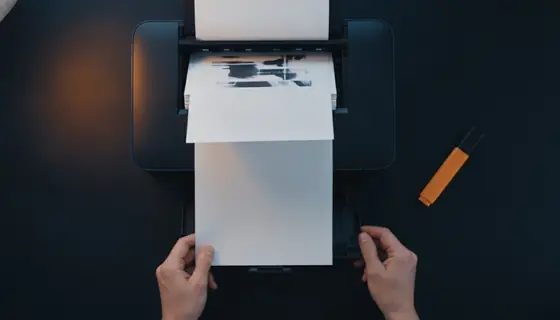
Printing double-sided
Long edge or short edge, and how the stack goes back in if your printer cannot do it itself. Both are worth establishing once on two sheets rather than on forty.
Getting a revision pack printed right first time
Merging, numbering, and deciding what gets printed at full size and what gets printed four to a sheet. Ten minutes of preparation and a ream you do not waste.
Five ways to cut paper and ink use on a course print run
Five changes, in order of how much they save. The first two do most of the work and neither of them costs you anything you were using.
How to photograph a page properly
Thirty seconds of technique beats any amount of processing afterwards. Two things go wrong, both before the shutter, and both are free to fix.
Choosing a scan mode for handwritten notes
Black and white produces files a fraction of the size and erases faint pencil. Greyscale keeps everything and costs more space. The choice depends on what you wrote with.
How to reduce the file size of a scan
In order of how much they save, and with the one that everyone tries first listed last, because it is the least effective.
Why a PDF is enormous
Almost always images. Working out which images, and whether anything can be done about them, takes two minutes and prevents a lot of pointless compressing.
When a PDF looks different elsewhere
The format exists to prevent exactly this. When it happens anyway there are three causes, and you can identify which in about a minute.